Wagara Five Seasons High-Contrast 3D Printed Domino Set: Creating the Seigaiha Set (Part Two)
The Dominoes
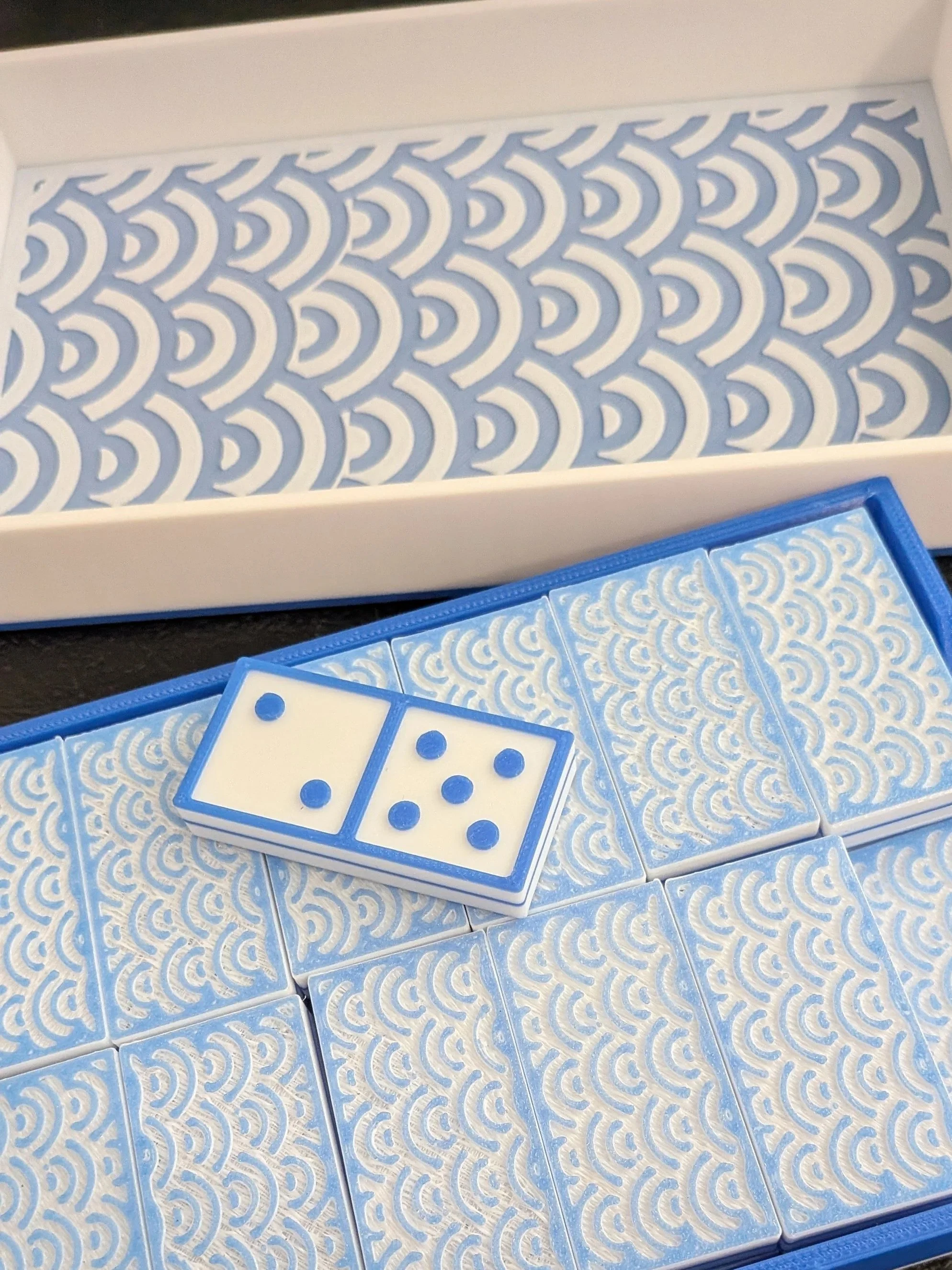
High-Contrast 3D-Printed Dominoes, Seigaiha v 1.1
Each domino set will have a seasonal theme, including a Gogyo element, a color, a wagara pattern, an animal, and the name of the season (kanji).
Winter 冬
Winter’s Gogyo element is water, so the wave wagara seems most appropriate here. Seigaiha has arcs stacked on one another, like the bands of color on a rainbow, which resemble waves when tiled. For the base color, I chose a deep blue, matching the wave and winter theme. Carp are water creatures, tying back to the element. They are also said to bring good luck when swimming up, so I decided on that as a patron animal. Whale, stingray, eel, and squid were also considered, but the thought of a piece that symbolized good fortune and well wishes appealed to me.
Creating the Seigaiha Pattern
I created the seigaiha pattern in Tinkercad, using a thin white layer for the tiled arcs. After tiling it, then placing it on the blue base, the effect was mesmerizing.
Unfortunately I was unable to use that beautiful piece. My understanding was that Tinkercad uses a drawing method that essentially meant my design was forcing the software to draw millions of tiny triangles, more than it could really do. It kept freezing up. I broke the design down into smaller bits, then exported the smaller less complicated shape. I next imported it as a solid mass, so it no longer had to go through all the steps to recreate the series of arcs, only what I imported. That technique can help with overly complex designs. But not for this apparently.
It was then that I decided to learn SolidWorks. It was exciting, infuriating, and amazing all at once. I could feel the power under the engine, so to speak. I learned how to make a 3-point arc, what a sketch was, and how to create guidelines, all of which took a long time, but resulted in a very nice repeatable pattern.
While progress in SolidWorks was coming slowly, it was coming. However I had a pretty big life event recently and have been utterly swamped. Add to that the need to keep my workflow going, as I slipped behind a few weeks (!!!). I really wanted to get these dominoes out, so I tried once more with Tinkercad, this time breaking my work down to a mere 3 sets of arcs, combining those, then exporting that tiny shape. That's the freeze technique that I tried earlier, but I guess I hadn't pushed far enough, as I was able to use the design this time by importing my tiny shape and combining that a few times. I exported that one, then used it to combine and recombine until I had enough of a pattern to work with. Finally some success!Applying the Pattern to a Domino Back
To apply the pattern I had basically stitched together, I needed a lot less of it! I made a copy of the pattern, leaving the original for the box later.
I then made a domino shape, making it .25” shorter and stouter, though I kept the height. I then turned that smaller domino into an eraser, placed it in the center of a .5” high plane, and combined those, leaving me with a rectangle that had a small rectangular hole in the center.
Placing this holed rectangle over the seigaiha pattern, I then turned the rectangle into an eraser shape, and lo! I had a rectangular seigaiha pattern, slightly smaller than a domino.
I turned the pattern into negative space (an eraser shape), flattened the pattern to .125", then aligned it with the top face of a blank domino. A merge left me with a single domino shape with a plain border surrounding a seigaiha pattern that was cut into the domino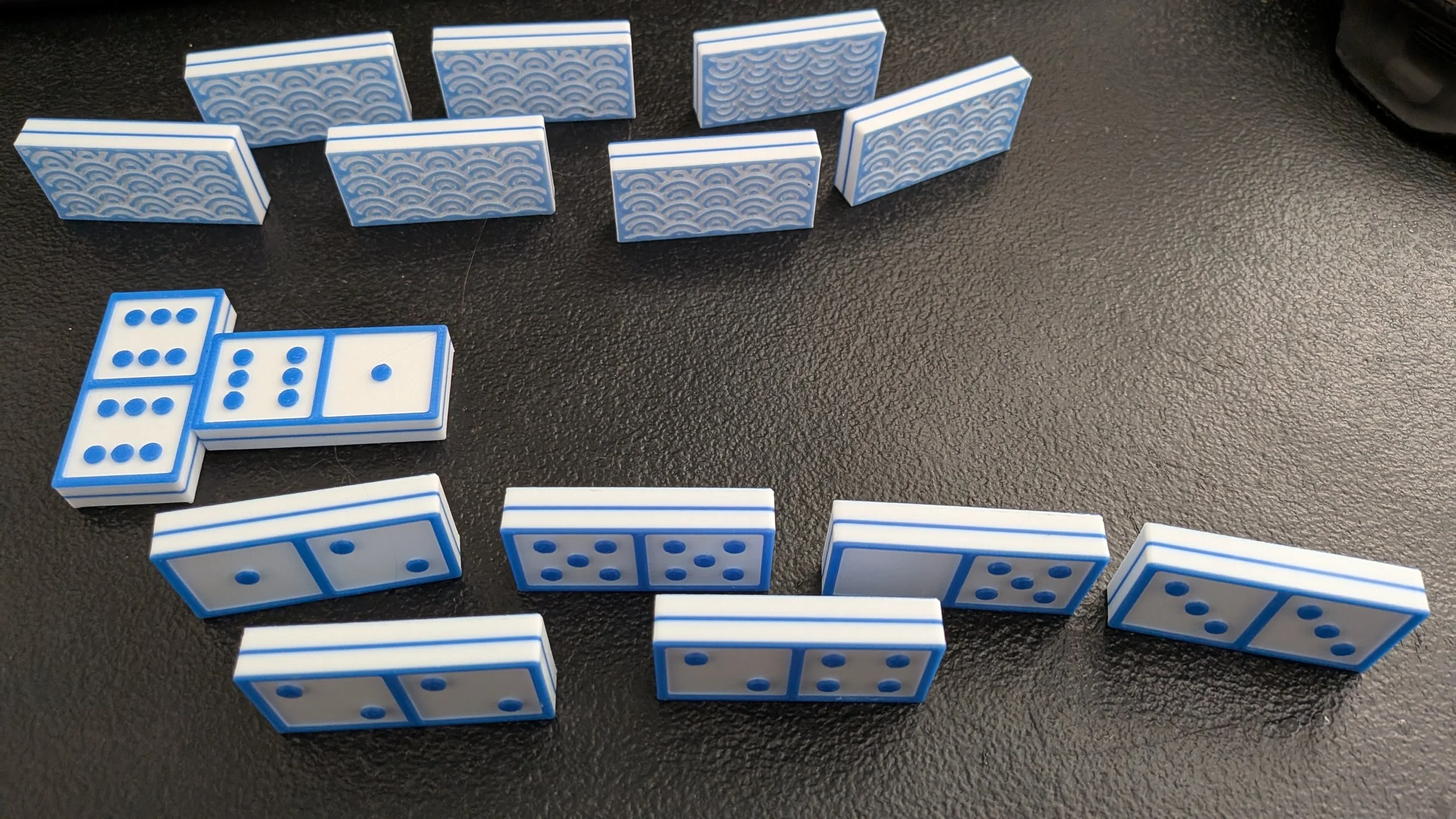
High-Contrast 3D Printed Dominoes with Seigaiha Inset Backing
Creating a Full Set of Seigaiha-Backed Dominoes
I copied the patterned blank domino numerous times, til I had enough to make a set. I then added the fronts, printed the lot, and had a set that I liked a rather lot. Unfortunately the bridging under the seigaiha shows through, so I will be reprinting this with the pattern at half-size. It isn’t terribly obvious, as it’s a couple of layers in and shadowed, but the bridging might catch crumbs and gunk, making them harder to keep nice.
I had only colored the bottom 2 layers before switching colors, so the waves were a near-powdery blue where the white showed through. The top’s blue was brilliant and jewel-like at four layers; I think that the blue PLA would look less like jewel tones if it didn’t have the powdery-soft blue for contrast. While the color was an accident, as I didn’t realize how much the white would soften the blue on top, it was a happy accident: the powdery nature of the color makes the waves look like winter.
To create the final set, I’ll be switching to PETG for filament. These might be used outdoors on hot days — I need that heat resistance! I’ll keep the two layers of color on the bottom before switching to white, back to color for a wafer, to white again, and back to color for the pip and border. I need to print it pattern-side down because I want the stark flat white square under the pips, and that may not work well with bridging or supports. And I’m reducing the pattern to half-size so that the bridging is less obvious under the pattern.
Making a Matching Case and a Lid With a Pattern on the Inside
Adding the pattern to the inside of the lid was a special challenge, but I figured it out. How did I make a seigaiha pattern on the inside of the lid, without leaving any sign of it on the edges, no jagged lines, no missing pieces, just four perfect white sides coming down from a blue lid cover?
Well, I created the pattern for the inside of the lid, made it only a few layers high, then cropped it so that it had a border. I centered the resulting piece on the inside of the lid so that the design stuck out just the barest bit, then I joined the pieces.
After that I printed the top in blue, then layer-swapped it to white exactly where the design was, so the printer picked up the sides of the lid and the design, leaving the rest alone. The result: a beautiful top in blue with white sides on the outside, and a pretty wave-like pattern like an inset if you lift the lid.
The last thing that needs doing is the top side of the lid, where I want to add the kanji for winter on the left third of the box, and a carp swimming up on the right two thirds. I used the Scribble tool in Tinkercad to make the kanji, and let me say that was not easy.
While the set was printing I started work on the summer version, trying out multiple backs to see which one best worked with the firework pattern. I posted some of my attempts (the image in part one) so you could see some possibilities, though they were prototypes done in grey, printed solely so I could see which patterns actually worked well.
The Finished Set
I posted the finished set up above. I LOVE it — it’s gorgeous! An image including the box inset is up top, and I posted another image showing how they look in play. I still haven’t put the carp on the box top — it looks like that’s getting filed under ‘project for later’. Before I finish all the sets, though not sure when. I will add an image when I’m done though.