Using AI To Help Troubleshoot Tinkercad Codeblocks! (Part Two)
Using AI to Solve Coding Problems
So, literal days have passed, and I have spent so many hours trying to figure out why the code won’t work. I can see exactly what the program will do by hitting the play button underneath the workplane: Tinkercad makes a tiny loop, and pushes it up a hair, then a slightly bigger one that goes up a hair more, over and over until it forms the bottom half of an egg. Here is where it clearly should start shrinking again, but instead it keeps forming rings of the widest width, and pushing them on top of one another until my egg is topped by a tube.
I turned to ChatGPT for help. Now, an AI like ChatGPT can’t actually think or reason. Instead, it does pattern recognition to make suggestions, like a Mad Libs game with thousands or millions of different people’s filled-in guesses. This makes it a great source of crowd-sourcing, but it can be a struggle to explain complex ideas. Given that, here is how the problem-solving session went:
Chat told me I probably put the code in wrong; I had not. It argued with me, explaining that that was most certainly the problem. It was not. I checked anyway, twice, then thrice. I even redid it, just to be sure I hadn’t messed up somehow. I did this over the whole program, with great care, sometimes coming back to this again after trying one of the other solutions. The code was absolutely entered the way it was meant to be.
I thought that maybe the nesting was too deep, so I went to the most complicated line, the one with the square root in it, and started breaking it into smaller pieces. I gave the smaller bits their own variable names, so that there were several more lines of code, but it wasn’t nested. Same problem.
I changed the height of the egg, same problem.
It then suggested that I used the variable ‘i’ badly. I reminded it that it gave me the code in the first place, and that the variable marking iterations needed to be the same one that it was using in the loop.
It said something that I found rather impossible to believe: that if I renamed every instance of ‘i’ to ‘layer’, it would work. I clarified that it wanted me to do exactly that, it said yes. I indicated my thoughts on the matter, to which it said I was right again, that renaming variables wouldn’t help in this case.
The next solution it proposed: that Codeblocks might not be able to handle complicated nesting, so I should try using a temp variable and constantly updating its value instead of letting codeblocks just hold on to it. That struck me as essentially the same thing I had done before by breaking the code down into smaller pieces, but I tried it anyway. STILL the same problem.
By now I had tried nearly all of its suggestions, even when I thought it was wrong and was proposing solutions that were kind of ridiculous. With an internal eye roll of annoyance, I renamed all the ‘i’ variables to ‘layer’. Of course that didn’t work. I felt silly even trying it, but also rather desperate at this point.
Was the math certain? I asked it, followed by questions over whether the multiplication mark I threw in was actually the right thing to do. Yes, mathematically. Okay.
It then had me test by setting one of the variables to a constant, I forget what, but whatever it was, the program created a cone shape. ChatGPT said that meant the code had worked, that the problem was that the square root seemed to be bugging out and freezing one of my variables. It gave me a proposed solution: to not let that variable get below zero, and see if it works then. Here’s hoping!
And no, that didn’t work either. No amount of clamping, no if-blocks to keep it from going under zero, nada.
A Partial Solution
After putting in more lines of test code to see what happened, Chat and I were able to troubleshoot the problem. Apparently some portion of math is supposed to go from 0 to 2 but gets stuck at 1. I do not understand the math, maybe it was wrong somehow, or maybe Codeblocks or JavaScript get stuck here.
Regardless, it needed a minor change when assigning the value of ‘t’: I had to double ‘i’ before dividing it as normal; then the code made a perfectly symmetrical egg. I’ll add that to the code-block in part one so you can make an egg of your own :)
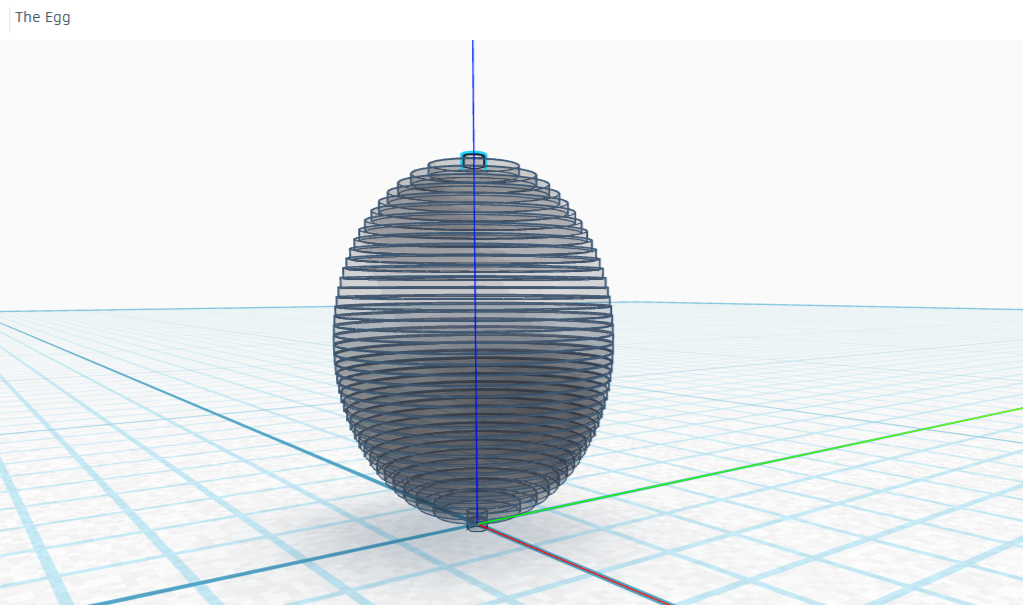
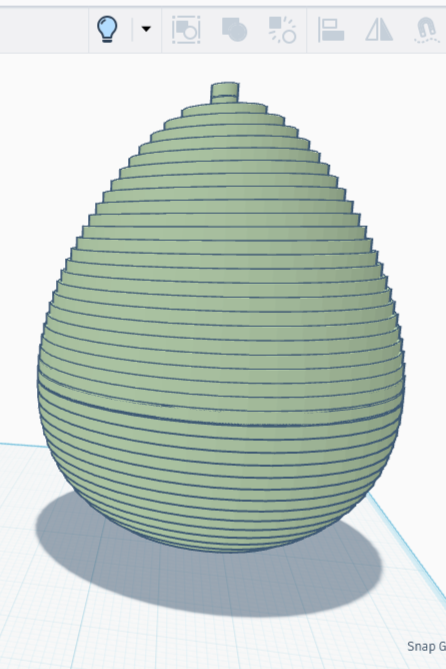
When I set out, it was not to make a perfect ovoid. I can already do that in Tinkercad. It was to make a bottom-heavy egg shape. I had made progress, but this wasn’t the end.
I typed into Chat the data from the individual Codeblocks, separating each block with a semicolon the way many programming languages separate lines of code. It was able to understand, and gave me a single line to change in order to change something called the bias. That essentially meant that it changed the rate at which it scaled, which would in theory create the proper egg shape I was after.
I changed the line to read ‘let radius = maxRadius Math.sqrt(t (2 - t)) (0.6 + 0.4 t)’, held my breath, and hit ‘play’. It worked, oh joy! It was a bit pointy though, so I tried swapping .6 and .4 for .7 and .3. It’s rather stepped, but the shape is there!
Frankly I could have stopped here, but I wanted a nicer egg, a smooth one like the symmetrical ones I was able to make in Tinkercad. One final change: the number of segments. The original number was 60 — I had the strong idea that making a larger number here would result in a smoother edge.
I tested the following ‘segments’ values: 80, 160, 240, and 480. While trying different values, I discovered that Codeblocks maxxes out at 500 shapes, so I stopped there.
The shapes were increasingly smoother as I divided the egg into smaller layers; the shape with 480 layers has lines that are so fine they’re practically invisible. This is the egg I envisioned.
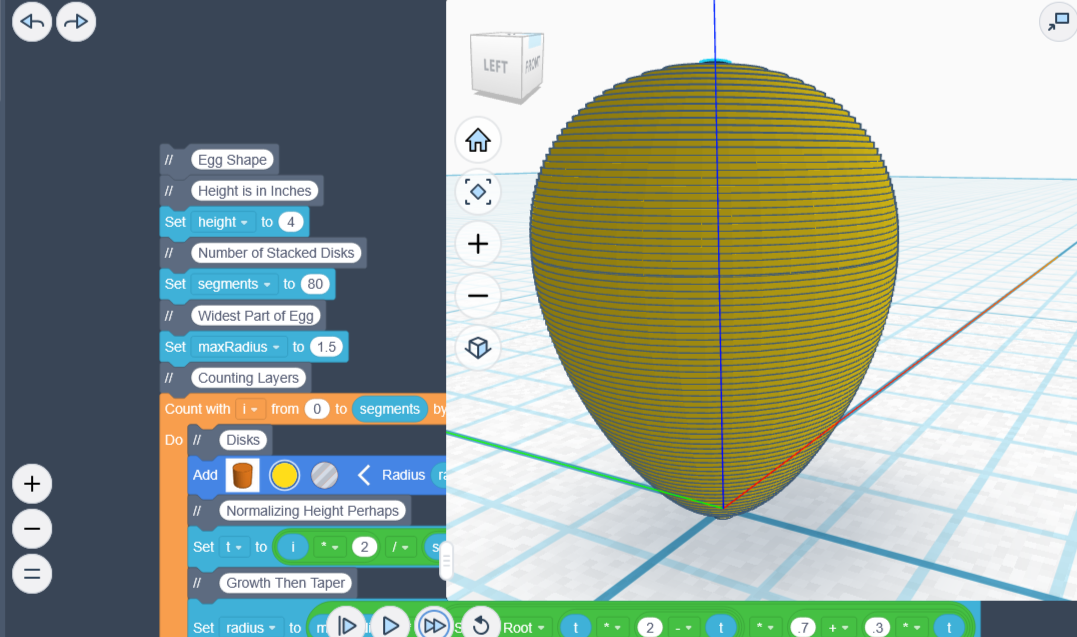
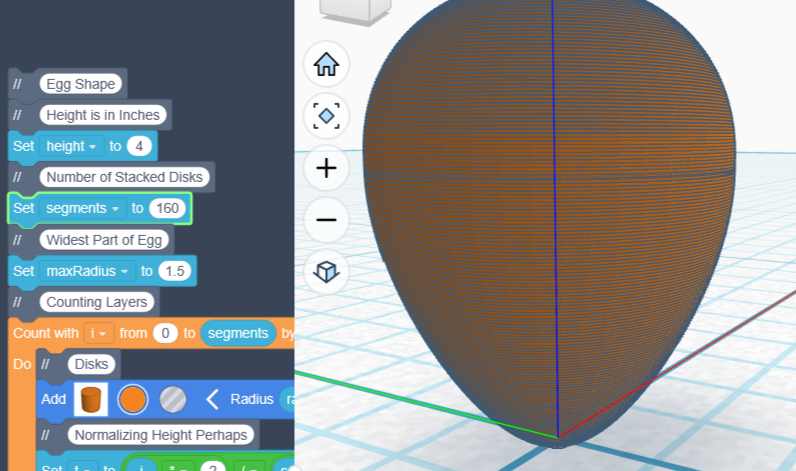
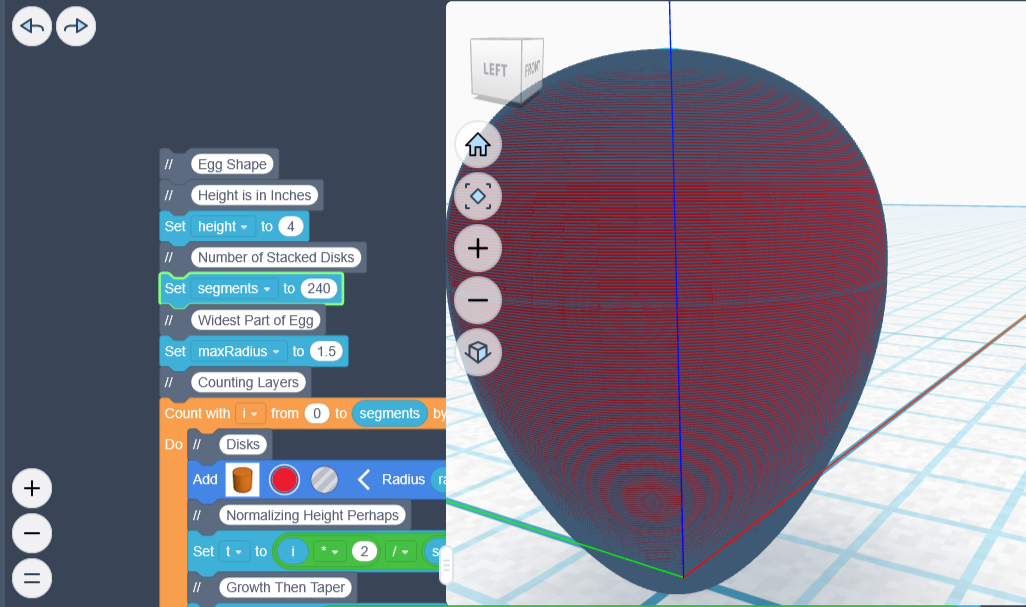
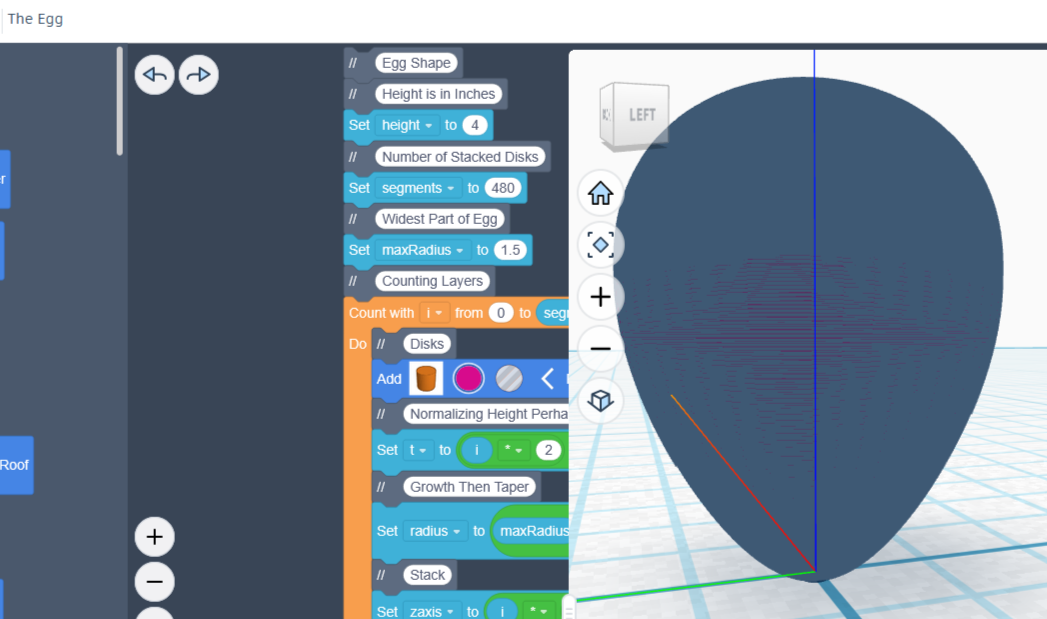
In summary, with the guidance of AI, I successfully created a program that could draw an egg, then converted the program from JavaScript to Tinkercad’s Codeblocks. I feel amazing about it, and I’m really excited to share!